
If your team currently quotes in Excel or Google Sheets, QuoteWerks feels instantly natural.
You get the same clean, grid-based workflow your best reps already think in, combined with the safeguards, automation, and control of a modern CPQ built for real-world quoting.
The grid keeps everything in one place.
Pricing, cost, margin, discounts, vendor data, and totals are visible at the same time across dozens or hundreds of line items without tabs, pop-ups, or constant context switching.
That clarity changes how teams work:
• You see more at once
• You move faster through complex quotes
• You spot pricing and margin issues before they become problems
• You stay accurate without slowing down
Many CPQ tools are designed to feel airy, with large cards, lots of whitespace, and minimal data per screen. QuoteWerks is designed for density with purpose so power users can think, compare, and adjust in real time.
The result is a quoting experience that scales with complexity instead of breaking under it.
The grid is not just familiar. It is what makes QuoteWerks one of the most efficient and powerful CPQ platforms on the market.
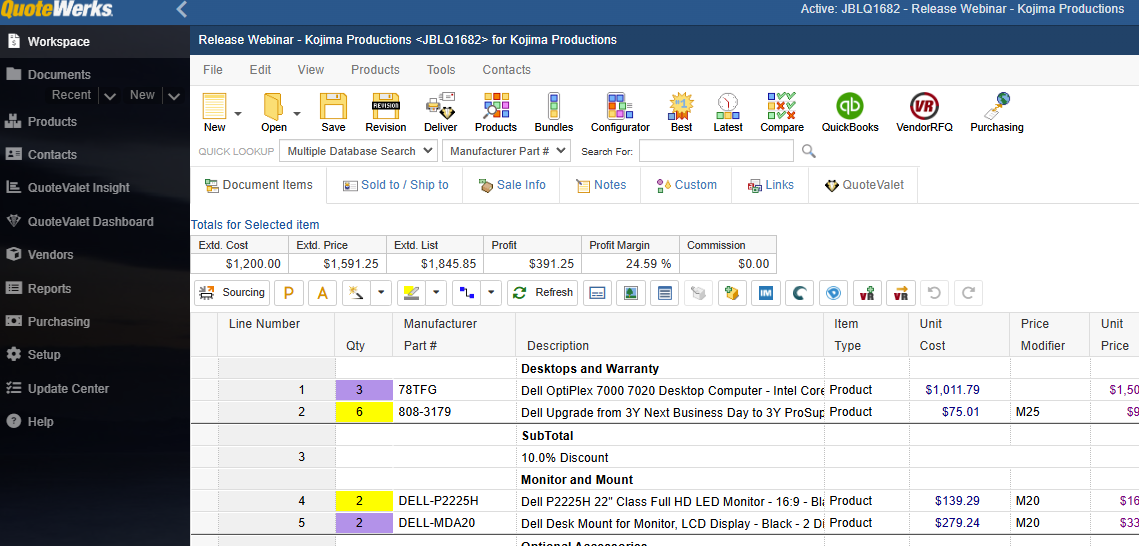
The grid shows the information that matters most — all at once:
- Costs
- Markups
- Extended prices
- Margins
- Vendors
- Descriptions
- Custom fields
No bouncing between screens. No expanding drawers. No “next step” wizards.
You stay in flow, even with large or complex quotes.
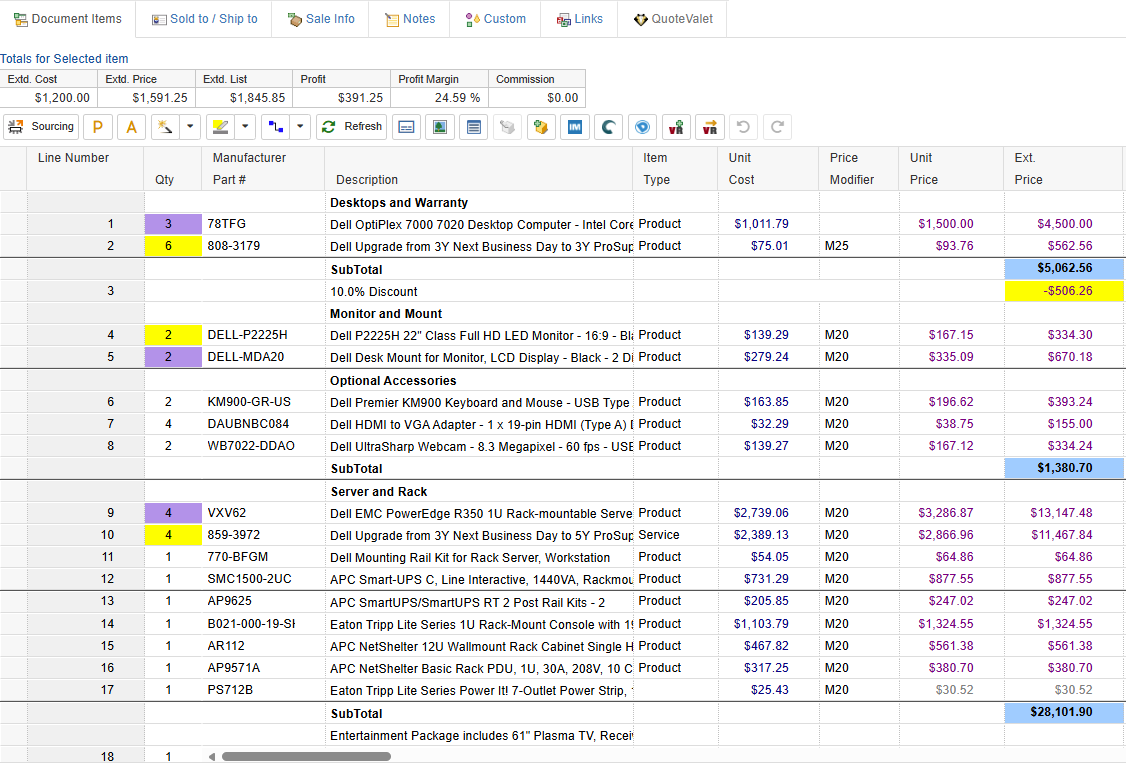
This is one of the biggest performance wins for power users.
QuoteWerks lets you:
- Select multiple rows
- Apply a markup change across all selected items
- Update pricing, discounts, or vendors in bulk
- Move or reorganize groups of items instantly
- Copy/paste blocks of line items
Whether you’re adjusting services, updating hardware bundles, or re-pricing an entire proposal, you do it in seconds, not minutes.
Other CPQ tools require dozens of clicks across multiple screens.
The grid handles it in one smooth action.
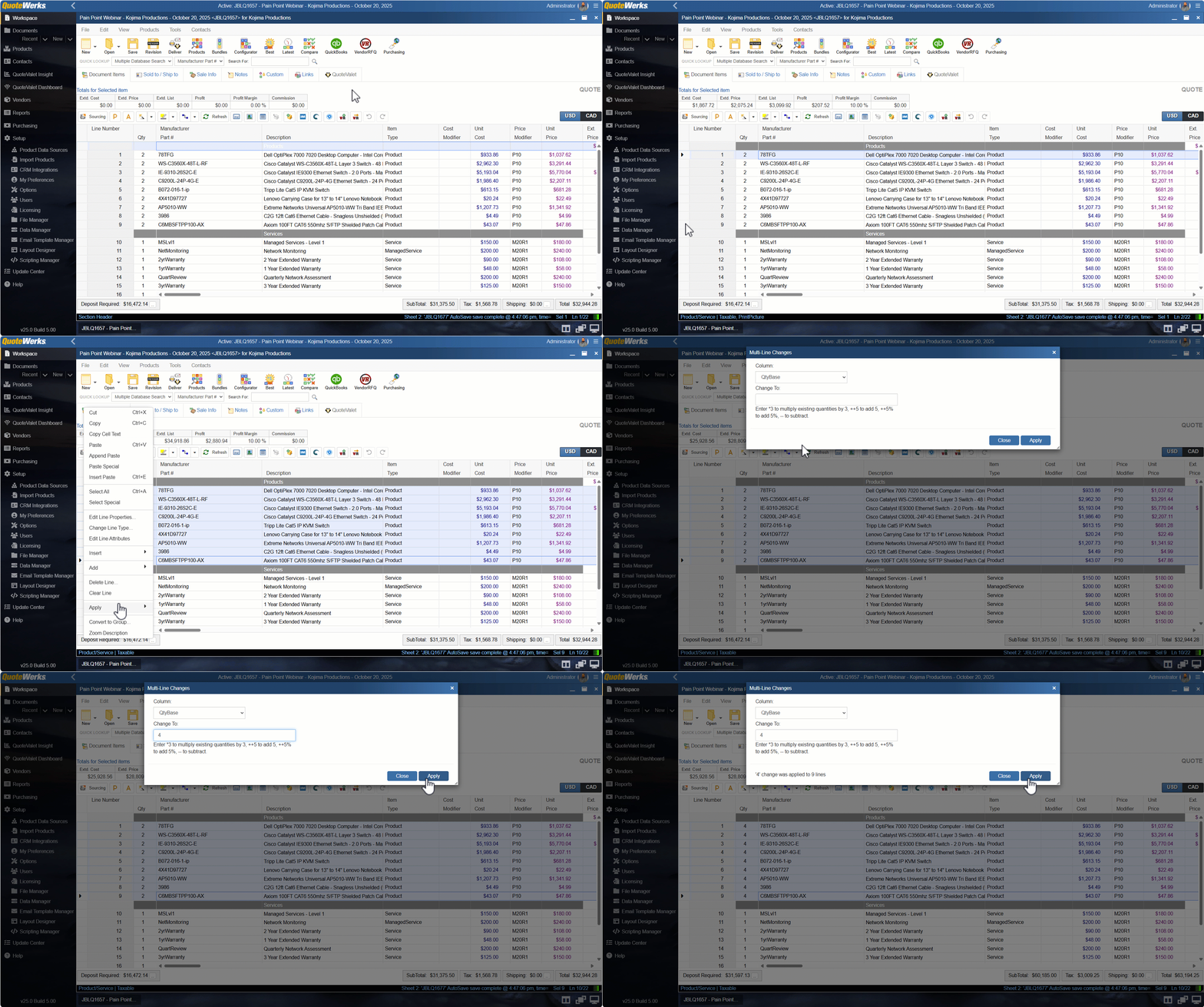
Every line item can be edited directly:
- Quantities
- Markups
- Unit prices
- Extended prices
- Part numbers
- Custom fields
No pop-ups, no modal windows, no hunting for fields.
Just click, change, and move on.
It’s a workflow built for reps who value speed and accuracy.
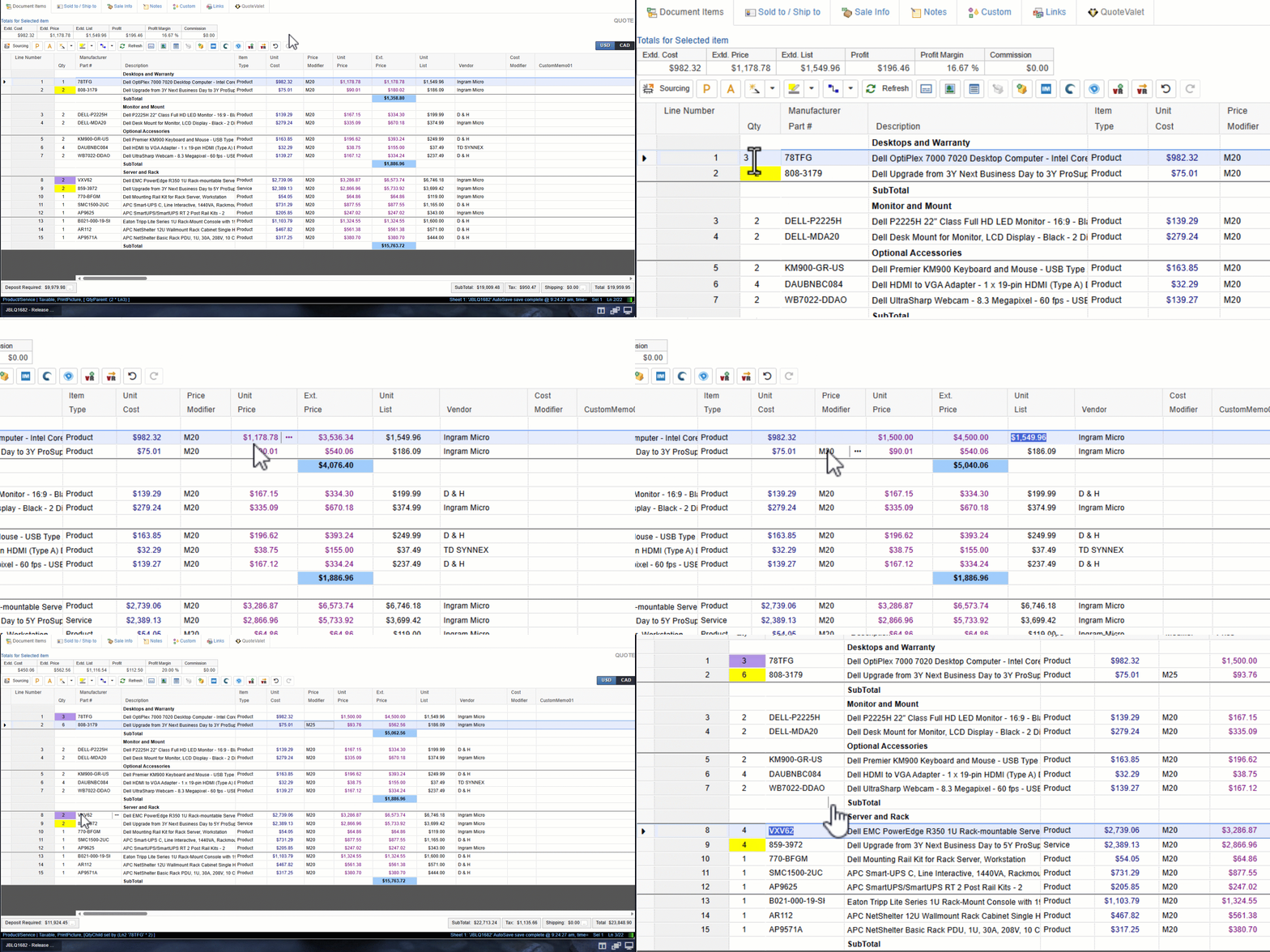
You get all the strengths of a spreadsheet —
without the chaos that makes spreadsheets risky:
- No broken formulas
- No rogue versions
- No accidental overwrites
- No manual recalculations
- Full audit trails and approval workflows
It’s everything Excel users love, backed by the control your business needs.
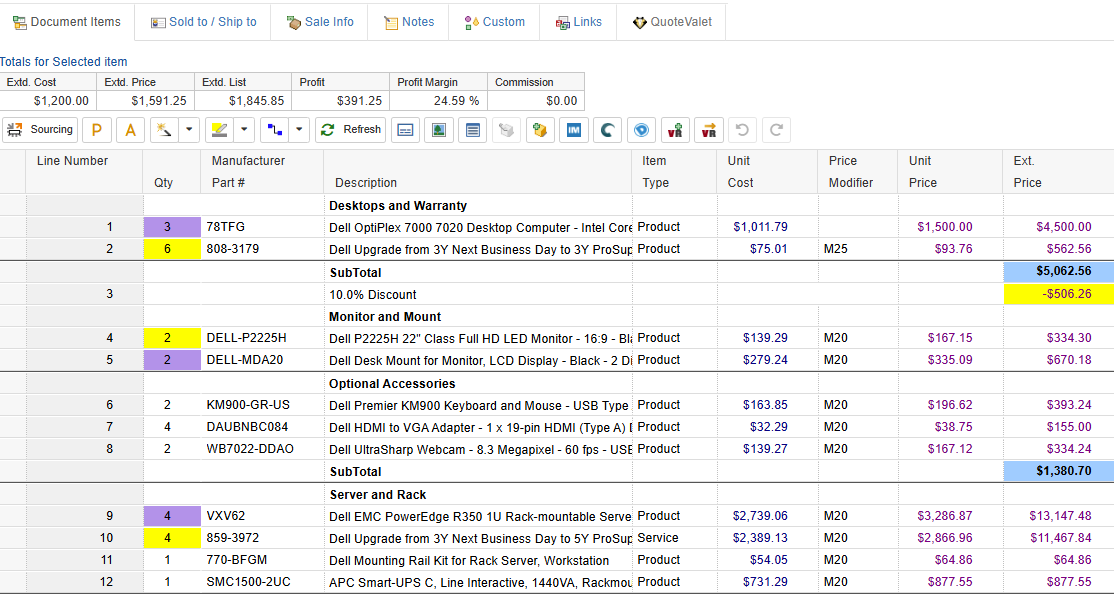
Built for Complex Quotes
From widgets to products and services, managed services to hardware, licensing, and large multi-vendor opportunities, the grid scales consistently:
-
10 line items
-
100 line items
-
1,000 line items
QuoteWerks stays fast and easy to navigate — no matter how big the quote gets.
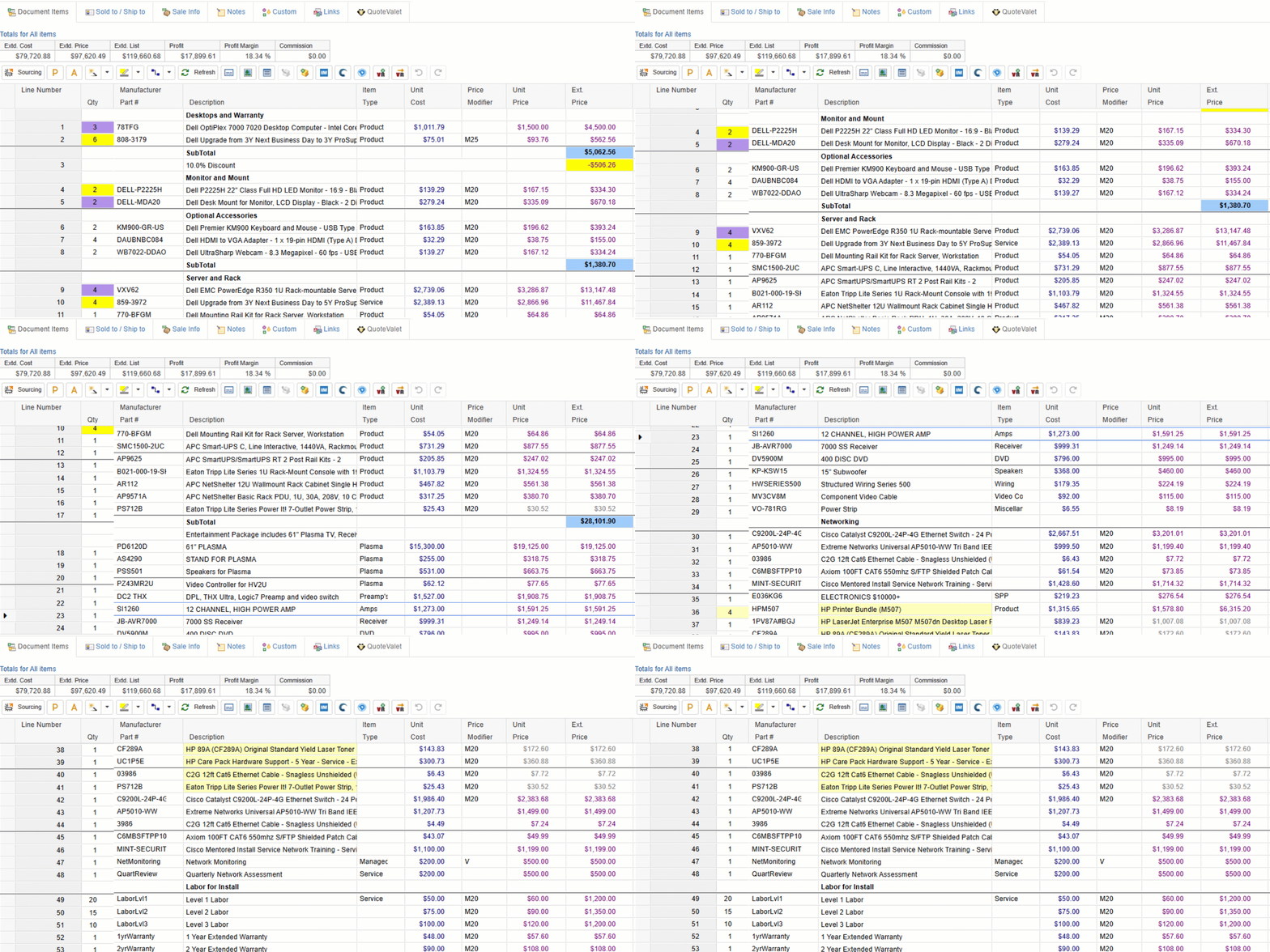
Modern UI, Proven Workflow
QuoteWerks Web brings a more modern interface while preserving the grid that makes quoting faster and more accurate.
It’s not old — it’s optimized.
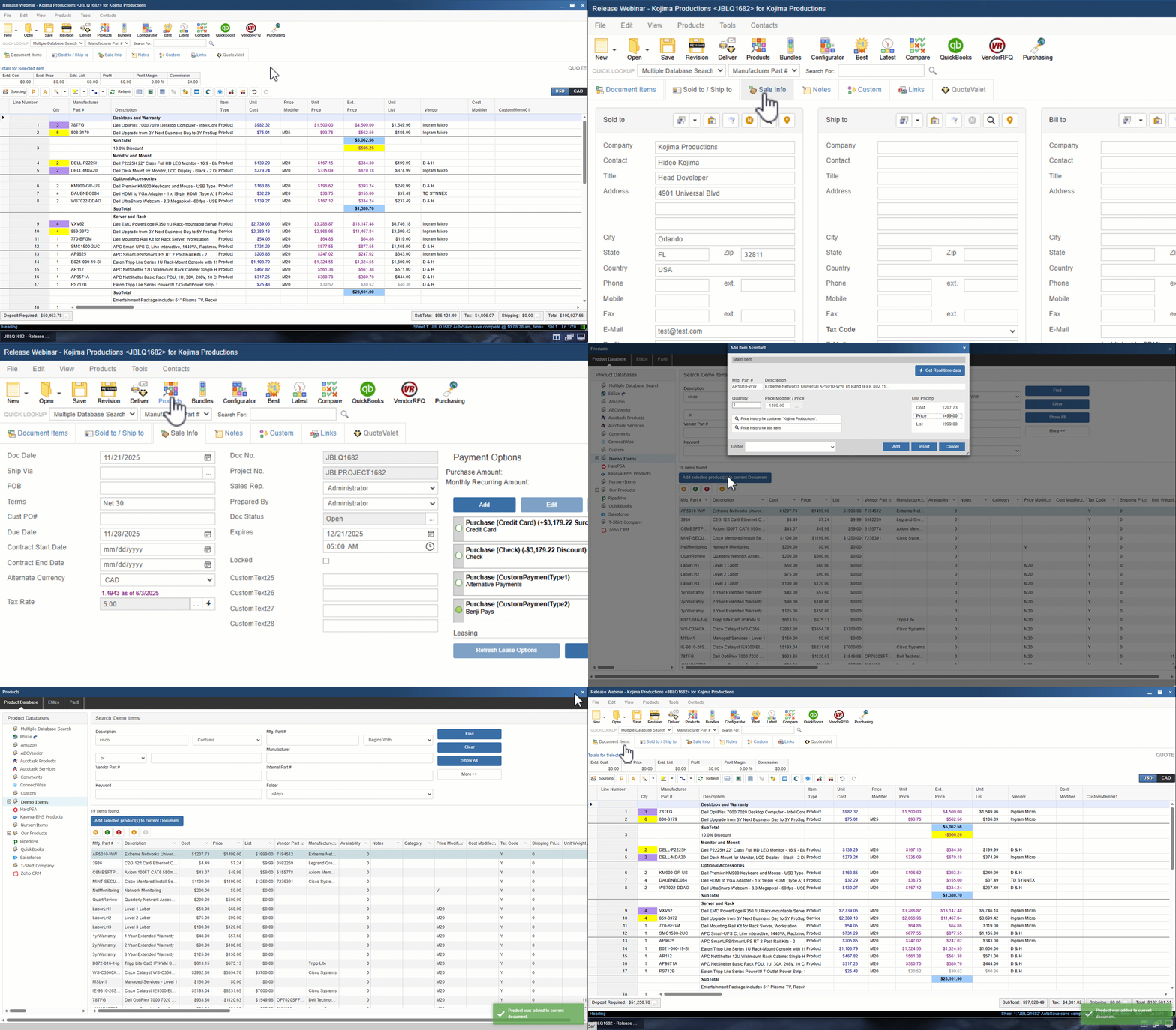
Modern software often sacrifices density for "clean" design, but when you're building a 100-line-item quote at 4:45 PM, white space doesn't help you win the deal. The QuoteWerks grid is a deliberate choice—built for speed, visibility, and power users who need to see the whole picture at once.
Want to see why we chose a spreadsheet-inspired workflow over "airy" layouts? Read our deep dive on how the grid handles real-world quoting pressure.